Best ergonomic chair for back pain
If you want the short version: for most back-pain buyers the right chair is the Best overall pick — a mid-tier ergonomic with depth-adjustable lumbar, adjustable seat-pan and 4D armrests. The best chair under $300 is the Best budget under $300 pick, and the best chair for users over 6'1" with back pain is the Best for tall users with back pain pick.
A note on language before we start. Back pain is a medical concern, and we are not qualified to diagnose or treat it. This page is about ergonomic features in chairs that reduce mechanical load — lumbar support depth, seat-pan dimensions, recline range — because that is what a chair can reasonably deliver. If your pain persists after two weeks of corrected ergonomic setup, see a physiotherapist, chiropractor or your GP. The chair is preventive equipment, not medical equipment.
An ergonomic chair earns the label three ways: the lumbar must adjust in both height and depth (not just height), the seat pan must adjust depth for body fit, and the recline must lock at multiple positions so you can shift load across the day. Most chairs marketed as "ergonomic" fail at least one of those tests. Everything below clears that bar — specs verified against manufacturer listings and current Amazon product pages.
Quick comparison
Six chairs side by side on the specs that decide the purchase. Lumbar support, seat-pan adjustability, recline range, armrests and weight capacity are the five dimensions back-pain buyers should compare.
| Best for | Lumbar support | Seat depth adjustable | Recline range | Armrest adjustability | Weight capacity |
|---|---|---|---|---|---|
| Best overall | Integrated LiveBack with adaptive bolstering | No — fixed seat pan | 3 positions (locked + 2 tension settings) | 4D adjustable (optional upgrade) | 300 lb |
| Best premium | PostureFit SL (configuration dependent) | No — Size B sized for users approx 5'7”–6'3” | Tilt limiter — 3 positions | Adjustable height/width/depth (config dependent) | 350 lb |
| Best mid-range ($400–700) | Adjustable lumbar | — | Adjustable tilt with tension and lock | Adjustable arms | 300 lb |
| Best budget under $300 | Adjustable lumbar with split backrest | — | Adjustable tilt with lock | 3D adjustable | 330 lb |
| Best for tall users with back pain | Adjustable LiveBack with lumbar firmness control | Yes — slide forward approx 3 in | 4-position recline lock | 4D adjustable | 400 lb |
| Best for petite users | Adjustable low-position lumbar | Shorter seat depth, purpose-built for petite frames | One-touch recline with leg support | 4D adjustable, flip-up | 330 lb |
Our top picks
Six picks, each matched to a buyer situation. Read the one that sounds like you — the "best for" tag at the top of each box is doing the work.
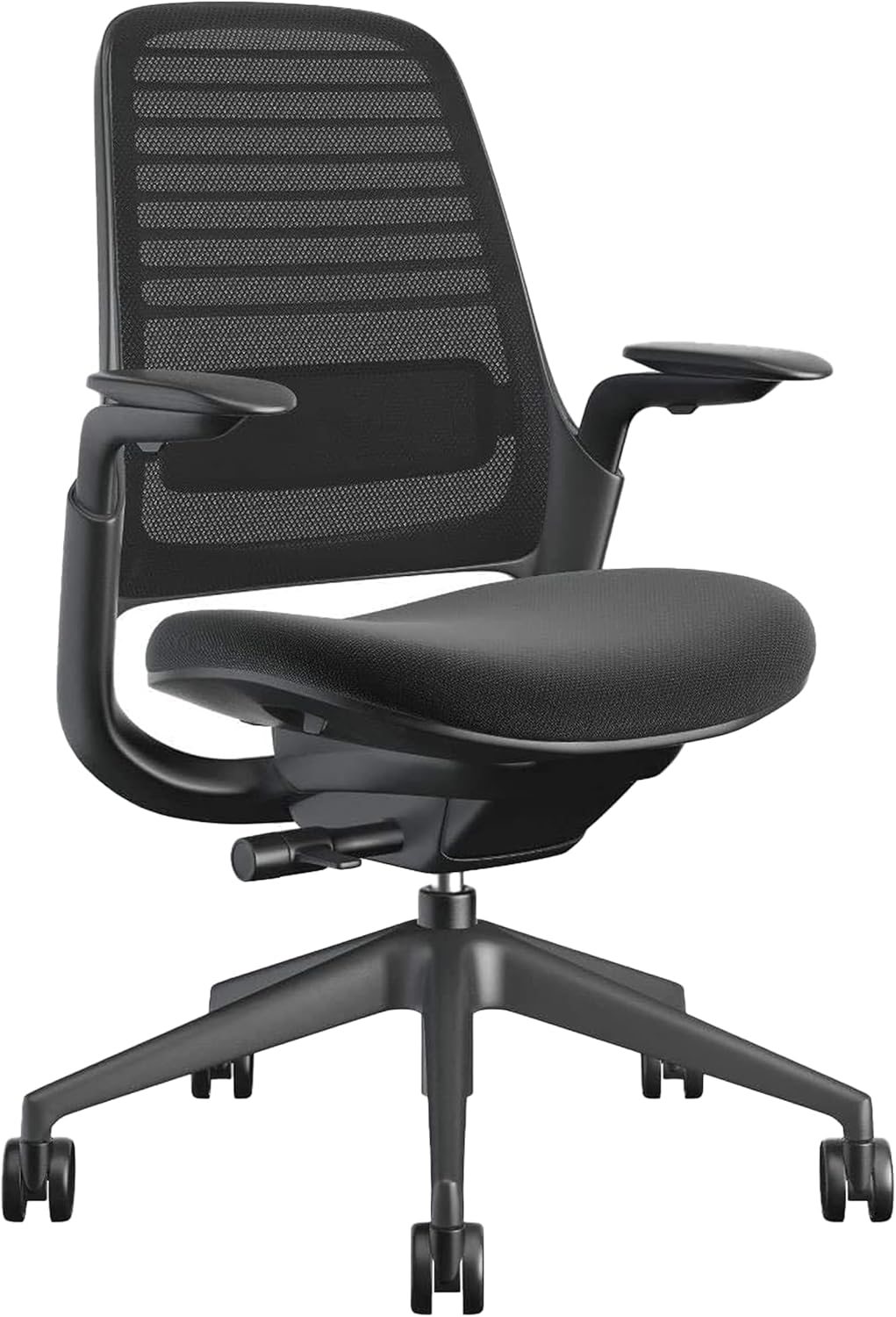
Best overall: Steelcase Series 1 Office Chair - Ergonomic Work Chair with Wheels for Carpet
Best overall
Steelcase Series 1 Office Chair - Ergonomic Work Chair with Wheels for Carpet
Steelcase
- Lumbar support: Integrated LiveBack with adaptive bolstering
- Seat depth adjustable: No — fixed seat pan
- Seat height range: —
- Recline range: 3 positions (locked + 2 tension settings)
- Armrest adjustability: 4D adjustable (optional upgrade)
- Weight capacity: 300 lb
Steelcase's entry-level ergonomic chair with weight-activated recline and the same LiveBack lumbar technology found in the Leap and Gesture — the closest you'll get to a flagship Steelcase sit at under $500.
Last checked 2026-05-19
The default starting point for most back-pain buyers. A mid-tier ergonomic chair with depth-adjustable lumbar support, an adjustable seat-pan and 4D armrests covers the spec bases that matter for sustained sitting. The chair fits a wide range of average body sizes (5'5" to 6'0", 130 to 220 pounds) without compromise — which is most readers.
Who it is for: a remote worker with intermittent lower-back discomfort, sitting six to eight hours a day, who wants the chair to do the ergonomic work without a $1,000+ commercial purchase. What to watch: the depth adjustment is what separates this band from sub-$200 chairs. Confirm the listing publishes lumbar depth adjustment, not just height.
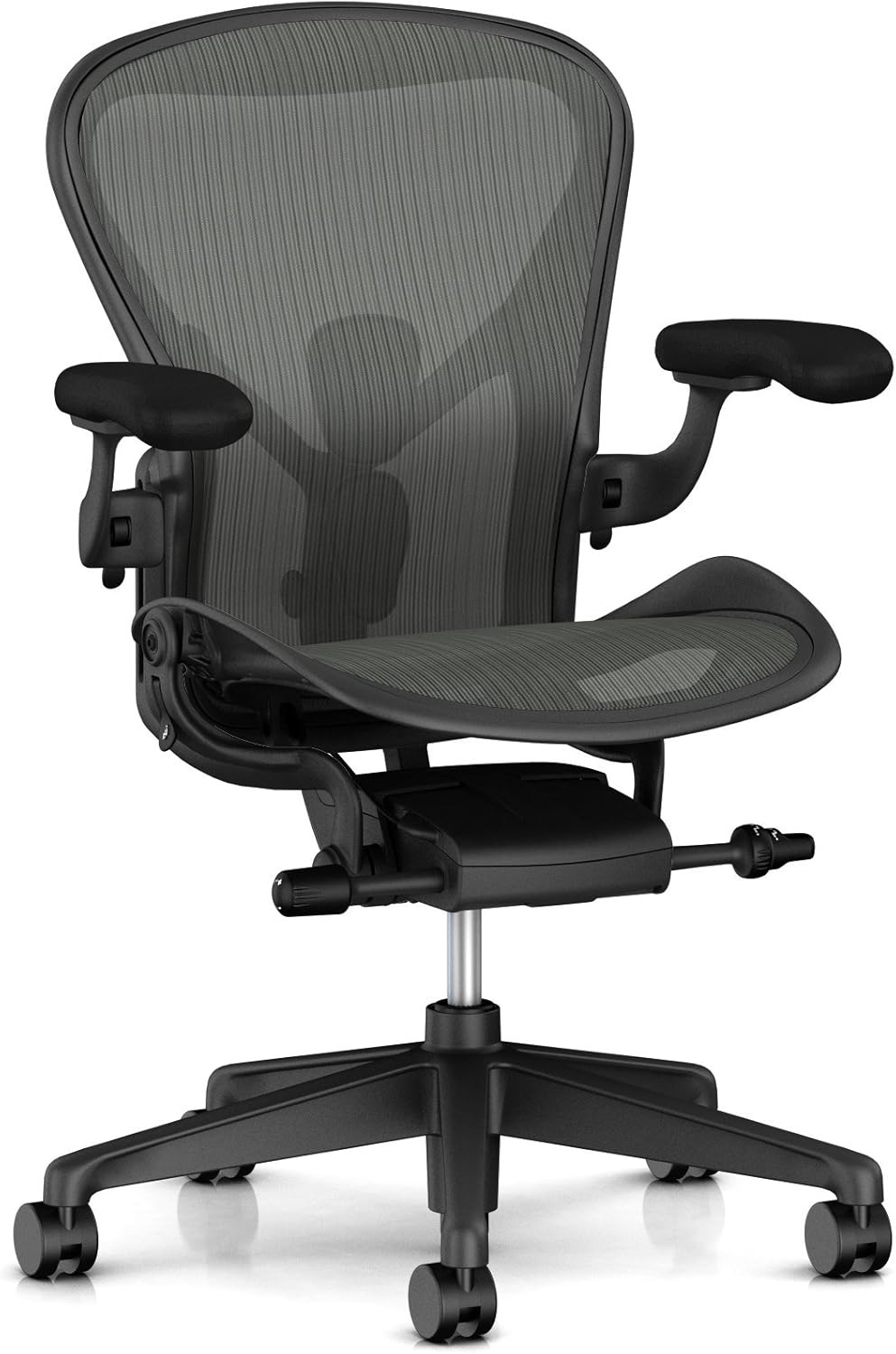
Best premium: Herman Miller Aeron Ergonomic Chair - Size B, Graphite
Best premium
Herman Miller Aeron Ergonomic Chair - Size B, Graphite
Herman Miller
- Lumbar support: PostureFit SL (configuration dependent)
- Seat depth adjustable: No — Size B sized for users approx 5'7”–6'3”
- Seat height range: 16–20.5 in
- Recline range: Tilt limiter — 3 positions
- Armrest adjustability: Adjustable height/width/depth (config dependent)
- Weight capacity: 350 lb
The benchmark premium ergonomic chair. Pellicle mesh suspension, PostureFit SL lumbar, and the only real rival to a fully-loaded Steelcase at this price tier.
Last checked 2026-05-19
The premium pick. Herman Miller Aeron and Embody class — commercial-grade build, weight-activated tilt, multi-stage lumbar support, and a 12-year warranty. The chairs in this slot last 10 to 15 years, which makes the annualised cost reasonable even at retail. They are also the chairs that show up most often in "the chair that finally fixed my back" anecdotes.
Who it is for: a full-time remote worker with persistent discomfort and the budget to solve it once rather than upgrade in three years. What to watch: size matters. The Aeron comes in A, B and C frames — pick the right one for your height and weight. A B-size frame on a 6'4" user is the wrong chair. Consider the refurbished route (slot 7 territory in the chairs hub) for the same chair at half the price.
Best mid-range ($400–700): Autonomous ErgoChair Pro Ergonomic Office Chair (Black Foam)

Best mid-range ($400–700)
Autonomous ErgoChair Pro Ergonomic Office Chair (Black Foam)
Autonomous
- Lumbar support: Adjustable lumbar
- Seat depth adjustable: —
- Seat height range: —
- Recline range: Adjustable tilt with tension and lock
- Armrest adjustability: Adjustable arms
- Weight capacity: 300 lb
Mesh back, foam seat, adjustable lumbar, and adjustable headrest. The most well-rounded mid-range ergonomic chair when you don't want to risk a no-name brand.
Last checked 2026-05-19
The mid-range pick. Above the budget tier on lumbar depth and armrest range, below the premium tier on warranty and finish. The Autonomous ErgoChair Pro and Branch Verve sit here. The sweet spot for buyers who want depth-adjustable lumbar and 4D armrests without the Herman Miller price tag.
Who it is for: a remote worker who tried a sub-$300 chair and found the fixed seat-pan or 3D armrests limiting. Step-up that addresses the most common limitations of the budget tier. What to watch: warranties at this tier vary widely — Branch offers 7 years, Autonomous 2. Read the actual terms, not the headline.
Best budget under $300: SIHOO M57 Ergonomic Mesh Office Chair, High Back with 3D Armrests, Lumbar Support and Adjustable Headrest

Best budget under $300
SIHOO M57 Ergonomic Mesh Office Chair, High Back with 3D Armrests, Lumbar Support and Adjustable Headrest
Sihoo
- Lumbar support: Adjustable lumbar with split backrest
- Seat depth adjustable: —
- Seat height range: —
- Recline range: Adjustable tilt with lock
- Armrest adjustability: 3D adjustable
- Weight capacity: 330 lb
The most credible sub-$300 ergonomic chair on Amazon. Mesh back, adjustable split lumbar, 3D arms, adjustable headrest, and 330 lb capacity — a real ergonomic chair, not a cosplay one.
Last checked 2026-05-19
The best chair under $300 for back pain. Sihoo and HBADA dominate this band with chairs that offer adjustable lumbar height (not depth), 3D armrests, and a multi-position recline. The compromises are real — the seat-pan is usually fixed, the armrests usually lack the pivot adjustment of 4D — but the lumbar support at this price is genuinely useful.
Who it is for: a tight budget, a first ergonomic chair purchase, or a secondary chair (guest desk, family work station). What to watch: build quality varies more at this tier than at any other. Read the latest reviews on the specific model you are considering — replacement-part availability is particularly important since these chairs do not get the 10-year warranty treatment.
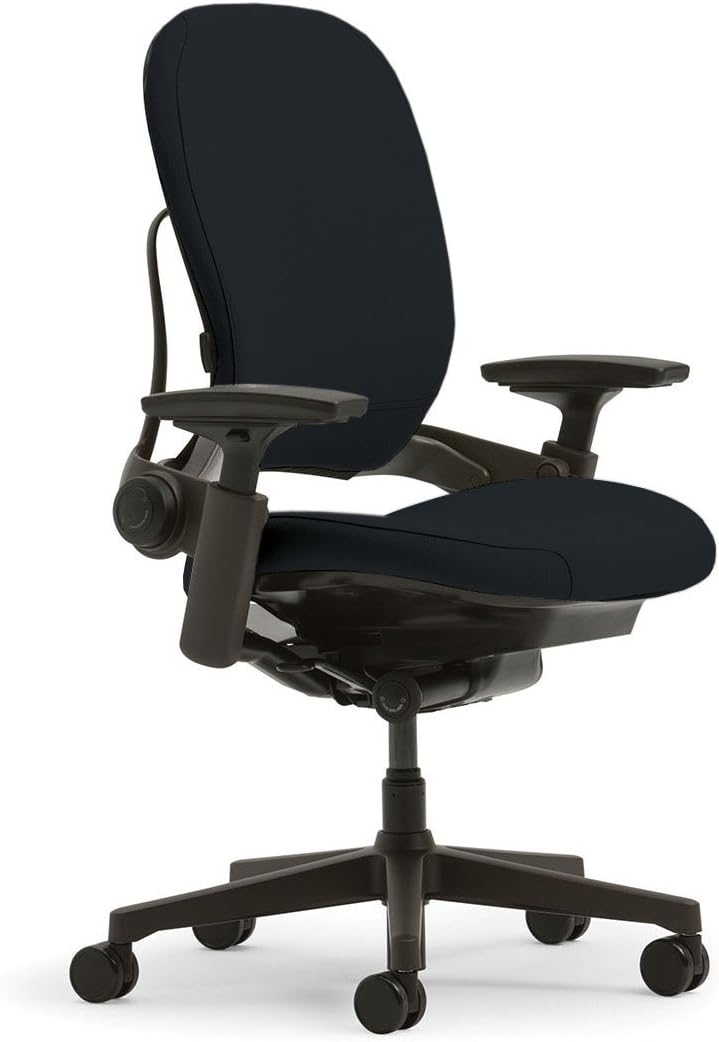
Best for tall users with back pain: Steelcase Leap Office Chair - Seven Points of Adjustability - 4D Adjustable Arms - Onyx
Best for tall users with back pain
Steelcase Leap Office Chair - Seven Points of Adjustability - 4D Adjustable Arms - Onyx
Steelcase
- Lumbar support: Adjustable LiveBack with lumbar firmness control
- Seat depth adjustable: Yes — slide forward approx 3 in
- Seat height range: 15.5–20.5 in
- Recline range: 4-position recline lock
- Armrest adjustability: 4D adjustable
- Weight capacity: 400 lb
The gold standard for taller users with back pain. Adjustable seat depth, lumbar firmness control, 4D arms, and a 400 lb rating — the chair Steelcase researchers used to redesign how spines move at desks.
Last checked 2026-05-19
The pick for taller users (6'1" and above) who have back pain. Standard ergonomic chairs are sized for 5'5" to 6'0" users; above that range the seat-pan runs short and the back support stops below your shoulders. The chairs in this slot extend the seat-pan to 18 to 19 inches and use a taller backrest. The Steelcase Leap V2 is the most-recommended chair for tall back-pain readers and worth considering refurbished.
Who it is for: a tall remote worker (6'1"+) whose previous chair felt "tippy" or "short" — both symptoms of a chair sized for an average user. What to watch: confirm seat-pan depth in the spec sheet. Some "tall" chairs only add seat-height range without extending the pan, which leaves your thighs still hanging over the edge.
Best for petite users: CabLady S2 Petite Office Chair for Women & Small Frames - 4D Adjustable Lumbar/Headrest, Flip-Up Arms & Footrest

Best for petite users
CabLady S2 Petite Office Chair for Women & Small Frames - 4D Adjustable Lumbar/Headrest, Flip-Up Arms & Footrest
CabLady
- Lumbar support: Adjustable low-position lumbar
- Seat depth adjustable: Shorter seat depth, purpose-built for petite frames
- Seat height range: Lower seat height — designed for users from 4'9”
- Recline range: One-touch recline with leg support
- Armrest adjustability: 4D adjustable, flip-up
- Weight capacity: 330 lb
Purpose-built for petite users. Lower seat height, shorter seat depth, low-position lumbar, plus a built-in footrest — the geometry actually fits smaller frames instead of just being sold to them.
Last checked 2026-05-19
The pick for petite users (under 5'4"). Standard chairs run the seat-pan too deep, the seat-height minimum too high, and the lumbar too high. Petite-sized variants from Branch, Autonomous and Sihoo lower the seat-height minimum to 16 inches or below, shorten the seat-pan, and reposition the lumbar to fit a shorter torso.
Who it is for: a remote worker under 5'4" who finds standard chairs leave their feet dangling or the lumbar sitting at the middle of their back rather than the lumbar curve. What to watch: lumbar height adjustment is critical. A "petite" chair with a fixed lumbar that sits high is no improvement over a standard chair with adjustable lumbar set to its lowest position.
What to look for in a chair for back pain
The spec checklist worth running on any chair listing before you commit. Marketing copy sells the photo; this is what the photo leaves out.
Lumbar support — depth-adjustable beats height-only
Adjustable lumbar height puts the pad in the right zone for your back. Adjustable lumbar depth pushes the pad into your lumbar at the right pressure. Both matter, but depth is the adjustment most back-pain readers consistently rate as the one that made a difference. If the listing only mentions "adjustable lumbar" without specifying which axes, assume height-only.
Seat-pan depth — adjustable, 15 to 18 inches
The distance from backrest to front seat edge. Too short and your thighs hang off; too long and the front edge presses into the back of your knees, cutting circulation. A pan that slides forward and back (15 to 18 inches of range) fits a wide span of body sizes. Fixed-depth pans land around 17 inches — fine for adults under 5'10", short for anyone above.
Recline tension and lock
Most back-pain readers find a slight recline (10 to 15 degrees) more comfortable than sitting bolt upright. A multi-position recline lock lets you settle there. Weight-activated tilt (calibrates to your body weight) is the premium feature. A stiff fixed recline forces you to fight the chair.
Armrests — 4D where you can afford it
Armrests should adjust in height, width, depth and pivot. The width and pivot adjustments matter most for sustained desk work — they let the armrests support your forearms over the desk rather than forcing your elbows out wide. Sub-$300 chairs usually offer 3D (height, width, depth); $400+ chairs offer 4D.
Headrest — only if your pain is upper-back or neck
A headrest supports the cervical spine during recline. It is useful for upper-back and neck issues. It is irrelevant for lower-back pain. If your discomfort is purely lumbar, an adjustable headrest adds cost without benefit.
How to set up your chair for back pain
Buying the right chair is half the work. Setting it up for your body is the other half. Five-step setup, in this order. First, sit all the way back so your hips touch the backrest — a chair set up around a forward-sitting posture undoes the lumbar support. Second, adjust seat height so your feet are flat on the floor (or on a footrest) and your knees sit at about 90 degrees. Third, adjust seat-pan depth so 2 to 3 fingers fit between the front edge and the back of your knees — any more and your thighs hang off; any less and the edge presses into your circulation. Fourth, adjust lumbar height so the pad sits at your actual lumbar curve (around the small of your back, not higher). Adjust lumbar depth if your chair offers it — push the pad in until it makes firm contact with your lower back without pushing you forward. Fifth, adjust armrests so your forearms rest level with the desk and your shoulders are relaxed, not lifted. Recheck after a week — your body adapts to a new chair, and settings that felt right on day one drift slightly. See the starter guide for the full setup walkthrough with monitor height and desk position.
When to see a professional
Two weeks of corrected ergonomic setup is the rule-of-thumb cutoff. If pain has not reduced meaningfully in two weeks of a properly fit chair, correct monitor height, and regular standing or walking breaks, see a physiotherapist, chiropractor or your GP. The following warrant immediate clinical care, regardless of your chair: pain radiating down one leg or arm, numbness or tingling, sharp pain on movement, pain that wakes you at night, or any pain following a fall, lift, or impact. A chair cannot resolve those — and sitting through them in the hope that ergonomics will catch up is how minor issues become chronic ones.
Frequently asked questions
What is the most important chair feature for back pain?
Depth-adjustable lumbar support. The lumbar pad has to push into your specific lumbar curve at the right pressure — height-only adjustment puts the pad in the right zone but leaves the pressure wrong. Most readers who report relief from a chair upgrade name the depth adjustment as the spec that made the difference. Frame as ergonomics, not treatment.
Can a chair cure or fix back pain?
No. A chair can reduce the ergonomic load that contributes to discomfort, but it cannot treat clinical back pain. If pain persists after two weeks of corrected ergonomics, see a physiotherapist, chiropractor, or GP. Treat the chair as preventive equipment, not medical equipment.
How much should I spend on a chair for back pain?
A sub-$300 ergonomic chair with adjustable lumbar height delivers most of the ergonomic benefit. A $400 to $700 chair adds depth-adjustable lumbar and 4D armrests. A $700+ commercial-grade chair lasts 10 to 15 years. For full-time remote workers with sustained discomfort, the mid-tier is the highest value-per-dollar band.
Is a Herman Miller Aeron worth it for back pain?
The Aeron offers PostureFit lumbar support and a weight-activated tilt that suits many users. Whether it is worth $1,500 depends on your hours and budget. The refurbished Aeron Size B at roughly half the retail price is often the better deal. The Aeron is not the only commercial-grade chair that works — Steelcase Leap V2 is the alternative most back-pain readers cite.
Should I buy a chair refurbished or new?
Refurbished commercial-grade chairs (Steelcase Leap V2, Aeron, Gesture) at 40 to 50 percent of new retail are the best price-to-feature deal in the category. Vetted channels — Crandall, Madison Seating — recondition the mechanism and offer multi-year warranties on parts. Cosmetic wear is real but the ergonomic performance is the same.
How long should I sit before standing for back pain?
30 to 45 minutes is a reasonable target. Sitting longer than that builds sustained pressure on the lower back even in a good chair. A sit-stand desk or a timer-prompted 5-minute walk every 45 minutes helps. The chair does not replace movement — both are part of the same ergonomic system.
What about sciatica or hip pain — same chair recommendations?
Different priority specs. Sciatica responds to seat-pan tilt (front edge dropping forward), waterfall edge to reduce thigh pressure, and the recline range to shift load periodically. Frame strictly as ergonomic features that may reduce mechanical compression, not as a treatment. Clinical sciatica needs clinical care.
Are kneeling chairs or balance balls better for back pain?
For short stretches, both can engage core muscles and shift posture usefully. Neither is suitable as a full-time chair. Most physiotherapists advise against an 8-hour balance-ball workday because it overloads stabiliser muscles without rest. Use either as a posture-switching tool, 20 to 30 minutes at a time, not as a primary seat.
Do I need a headrest for back pain?
Only if your discomfort is in the upper back, neck, or thoracic region. A headrest supports the cervical spine during recline; it is not useful for lower-back pain. If your pain is purely lumbar, an adjustable headrest adds cost without benefit. The slot 4 pick (upper-back-and-neck) prioritises this; the slot 3 pick (lower back) does not.
How do I set up my chair for back pain?
Five-step setup. Sit with hips against the backrest. Adjust seat height so feet are flat and knees at 90 degrees. Adjust seat depth so 2 to 3 fingers fit between the seat edge and the back of your knees. Adjust lumbar height to your lumbar curve. Adjust armrests so forearms rest level with the desk and shoulders are relaxed. Recheck after a week — bodies adapt and settings drift.